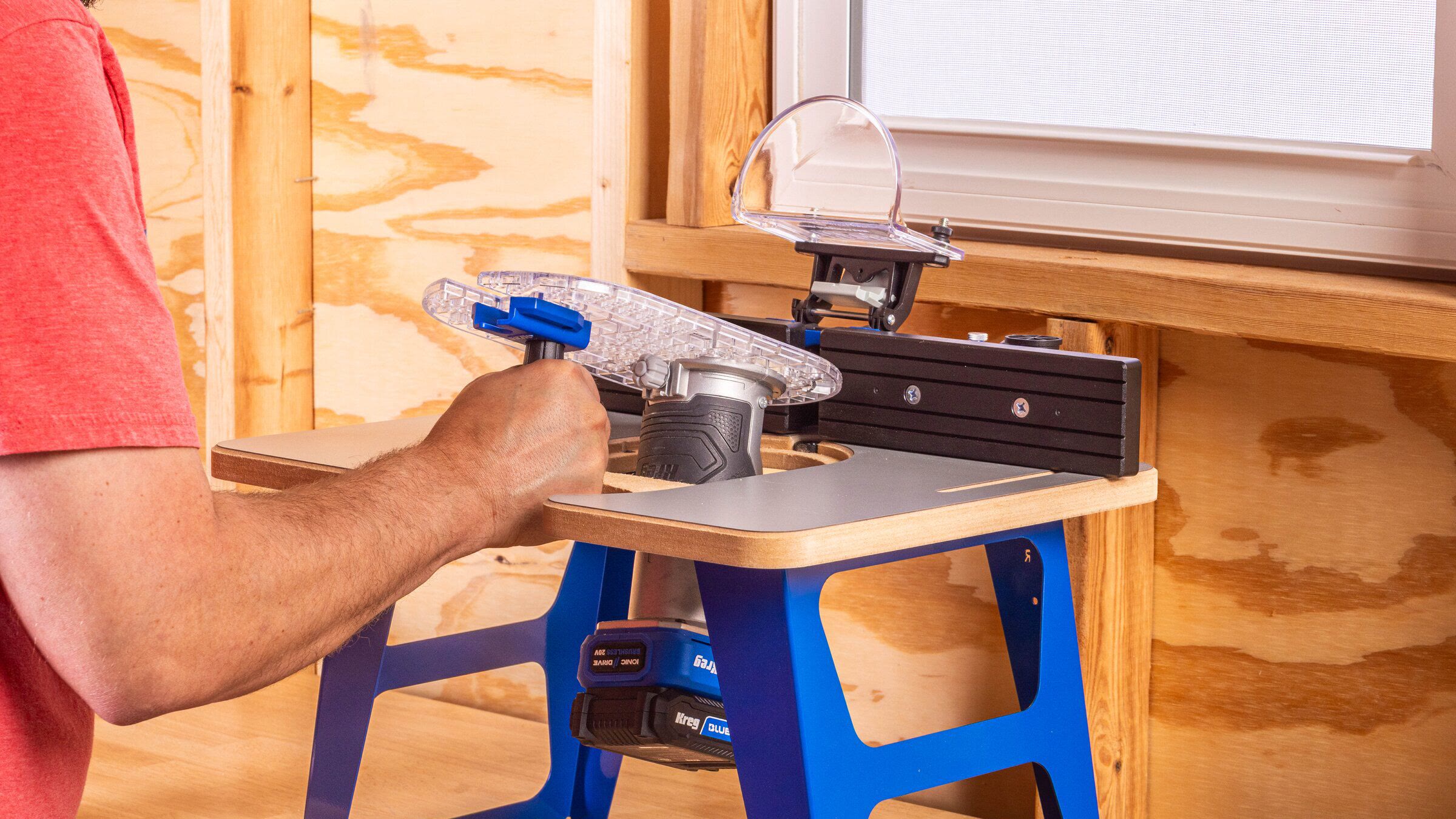
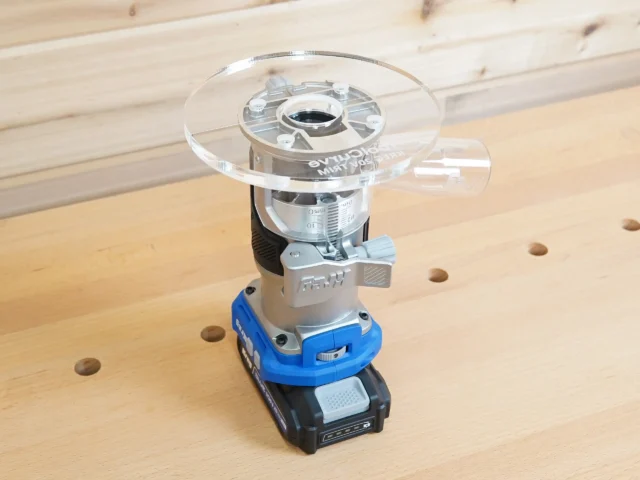
The Kreg Dock & Go Trim Router Table, item KRTRT150, is built around a removable clear baseplate. Attach a compatible trim router to that plate once, then use the handle to move the router between handheld work and the compact table. That is the useful idea: one router can cover edge routing, small table-guided profiles, and circle cutting without repeatedly changing its plate.
Compatibility needs more care than the product-page phrase ‘all major trim router brands’ suggests. Kreg’s owner’s manual provides an exact hole-pattern chart, and only the listed models should be treated as documented fits. There is also a serious documentation conflict involving Kreg’s own 20V router: the table manual lists it, while the currently posted router manual still says not to use that tool in a router table. Until Kreg supplies model-specific clarification, that warning should control.
For a broader look at Kreg’s corded and cordless router setup, base plates, and dust collection, see ToolCurve’s Kreg trim router setup guide. This article stays focused on the Dock & Go table and the checks that are unique to it.
Which routers fit the Kreg Dock & Go table?
The KRTRT150 manual maps letters on the clear plate to specific router bodies and selected plunge bases. The router models named in the current chart are:
| Brand | Model listed by Kreg | Mounting-hole group |
|---|---|---|
| Kreg | KPTRT025A | A |
| Ridgid | R860443B | B |
| Flex | FX4221-1F | C |
| Ryobi | PCL424B | D |
| Craftsman | CMCW400B | E |
| DeWalt | DCW600B | F |
| Milwaukee | 2723-20 | G |
| Metabo | M18080AQ4 | H; same pattern as A |
| Masterforce | CR326 | I; same pattern as A |
| Kobalt | K7TR-03 | J |
| Makita | RT0701C | K |
| Performax | ERM103 | L |
| Bosch | Colt PR20EVS | M |
The same chart also identifies the Bosch PR011 plunge base, DeWalt DNP612 plunge base, Makita 196094-2 plunge base, and Einhell TRR011 plunge base. A base appearing in the chart does not establish approval for every motor that can be installed in that base. Match the complete router or base model, read its own manual, and confirm that its fasteners engage correctly before use.
Do not add a model merely because its brand appears in the table or its screw pattern looks close. For example, Kreg’s product-page Q&A says the Ryobi PBLRR01B is not on the compatibility chart. The plate is meant to use its provided patterns without drilling or modifying it; an unlisted router needs written confirmation from Kreg rather than a shop-made hole pattern.
The KPTRT025A documentation conflict
Kreg’s April 2026 Dock & Go manual explicitly lists the KPTRT025A in mounting group A and illustrates a Kreg battery router under the table. The current KPTRT025A owner’s manual, however, includes the instruction “Do not use in a router table.” Those two primary sources do not agree.
The safest interpretation is not to assume that a newer accessory page silently cancels a warning in the power-tool manual. Before installing the KPTRT025A, obtain current model-specific guidance from Kreg that addresses the Dock & Go combination. Keep the same rule for every listed router: the table’s hole chart establishes a physical mounting pattern, but the router manufacturer’s operating restrictions still apply.
Set up the table in the right order
- Assemble the table and fence with power absent. Keep the router unplugged or remove its battery. Install the legs, four plate-leveling setscrews, plate bumper, fence, guard hinge, backer boards, guard, and dust swivel as shown in the table manual.
- Attach the correct router to the clear plate. Remove the router’s factory baseplate, align the Dock & Go plate with the lettered holes for the exact model, and loosely install the screws specified for that router.
- Center before final tightening. Raise the motor so the supplied centering pin can enter the collet. Pass the pin through the plate, tighten it in the collet, let the plate shift into alignment, then fully tighten the mounting screws and remove the pin.
- Dock the assembly. Set the plate into the table opening against the plate bumper and pull the handle down. The plate should be fully captured, with no rocking or raised edge.
- Level all four corners. Adjust the four setscrews with the supplied Allen wrench until the plate is flush with the MDF table surface. A proud edge can catch the work; a low edge can let the work dip near the cutter.
- Snug the bumper. Use a screwdriver to adjust the baseplate bumper so it holds the plate securely. Recheck the fit whenever the plate, router, or fasteners have been removed.
- Set the fence and prove the setup. Loosen both fence T-knobs, move the fence to the required position, tighten both knobs, lower the guard, and make the first cut in scrap.
Centering is not a cosmetic step. If the router is offset on the plate, the cutter may not be centered in the opening, and the circle-guide markings can no longer describe the intended radius accurately. After assembly, rotate the bit by hand with the power source disconnected and check clearance at the full intended depth.
Secure it even if the product page says free-standing
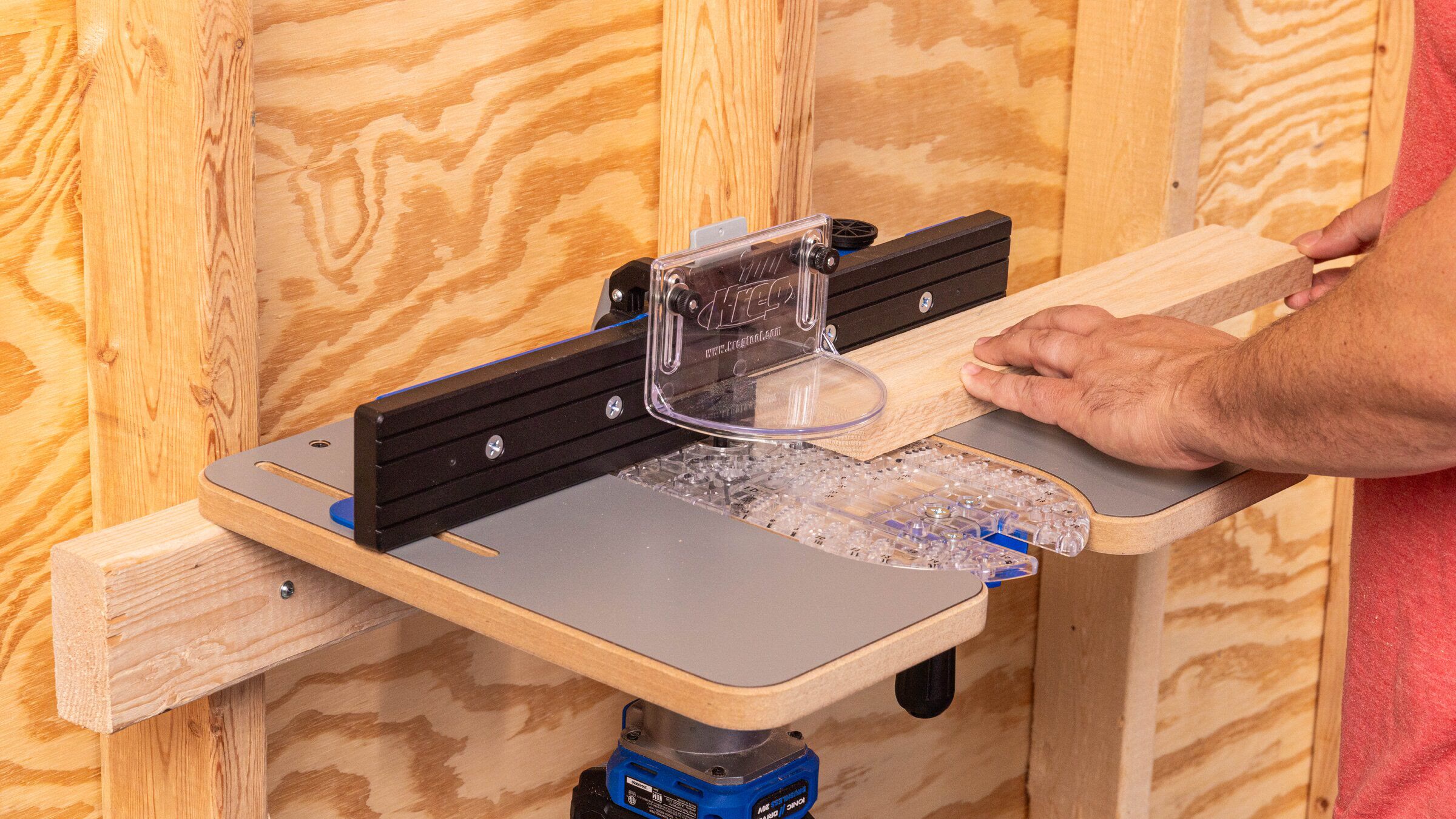
Kreg markets the table for free-standing, bench-mounted, and wall-mounted arrangements. The safety section of the owner’s manual is more specific: it says to secure the router table to a workbench or wall whenever it is used. Follow the manual.
For a bench setup, the manual allows clamping the lower flanges of the legs or fastening through their predrilled holes. For a cantilevered wall or bench-edge setup, it shows fastening the rear countersunk holes to a wood support and recommends #10 by 2 1/2-inch wood screws. The correct anchors still depend on the bench, wall framing, and substrate; do not rely on drywall or thin sheathing alone.
The wall position saves horizontal storage space, but it changes how the work is supported. Make sure long stock cannot lever the table away from its mounting surface. Add independent infeed and outfeed support when a board extends beyond the compact top, and verify that the router battery, power cord, switch, and dust hose remain accessible without reaching near the cutter.
Guarding, dust collection, and feed direction
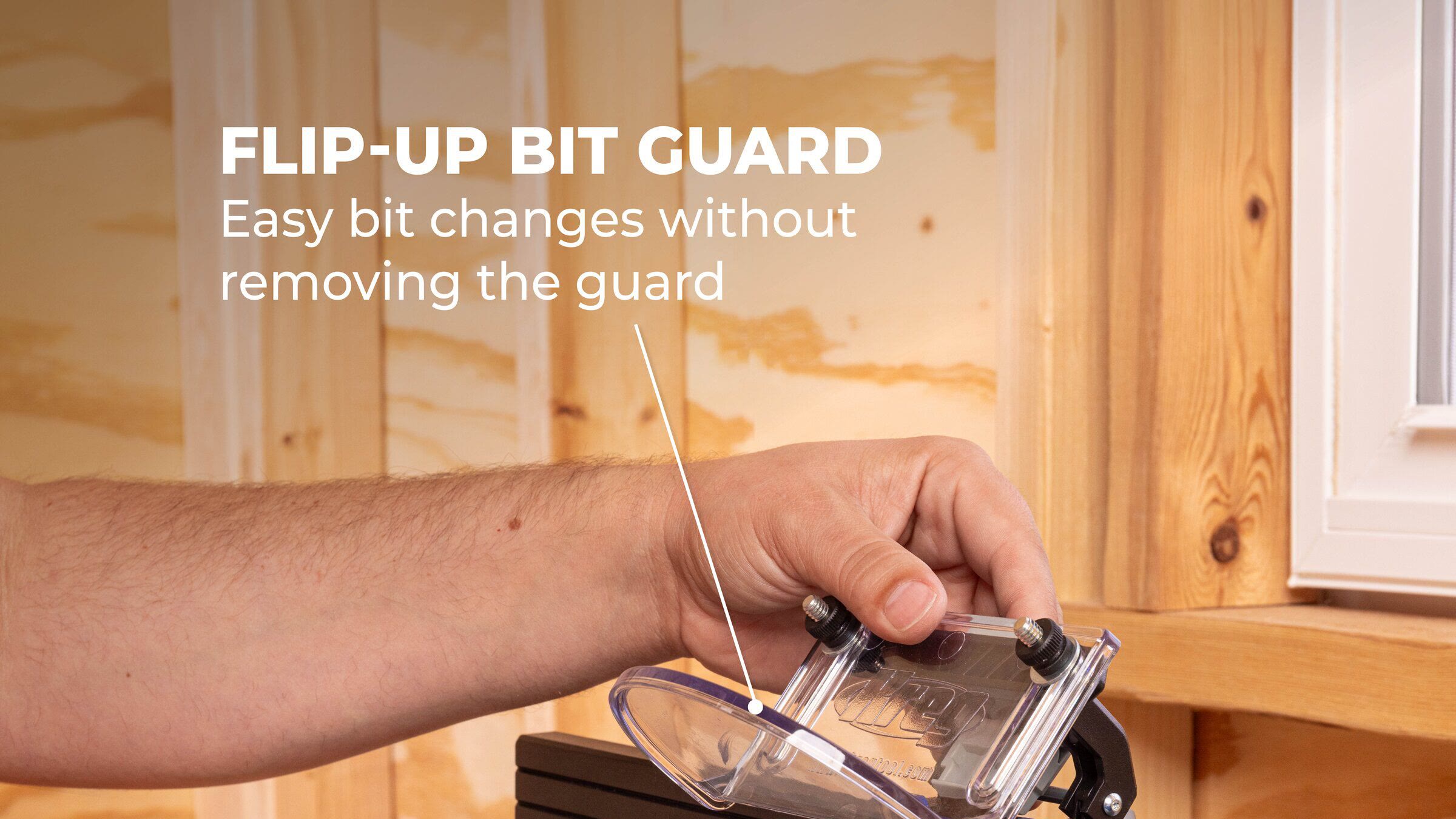
The clear guard flips up so the bit and fence opening are easier to adjust; that does not make it optional during a cut. Kreg instructs users to keep the guard lowered in operation. Disconnect power before changing a bit, moving the fence, leveling the plate, or clearing packed chips.
The dust swivel snaps into the rear of the guard hinge and rotates to help a vacuum hose clear a wall or benchtop. Kreg does not state a hose diameter on the product page or table manual reviewed for this article, so match the cuff to the actual port rather than assuming a common shop-vac or metric size. A hose can improve collection, but it does not replace eye, hearing, and respiratory protection appropriate to the material.
At a router table, feed ordinary fence-guided work from right to left so the stock moves against the cutter’s rotation. Kreg’s router-table guidance uses that direction, and the KRTRT150 manual warns against climb cutting because it can pull the work and reduce control. Keep the work against the table and fence, use push aids or other work-control accessories when the piece is too small for safe hand clearance, and never start the router with the stock touching the bit.
The removable plate doubles as a circle guide
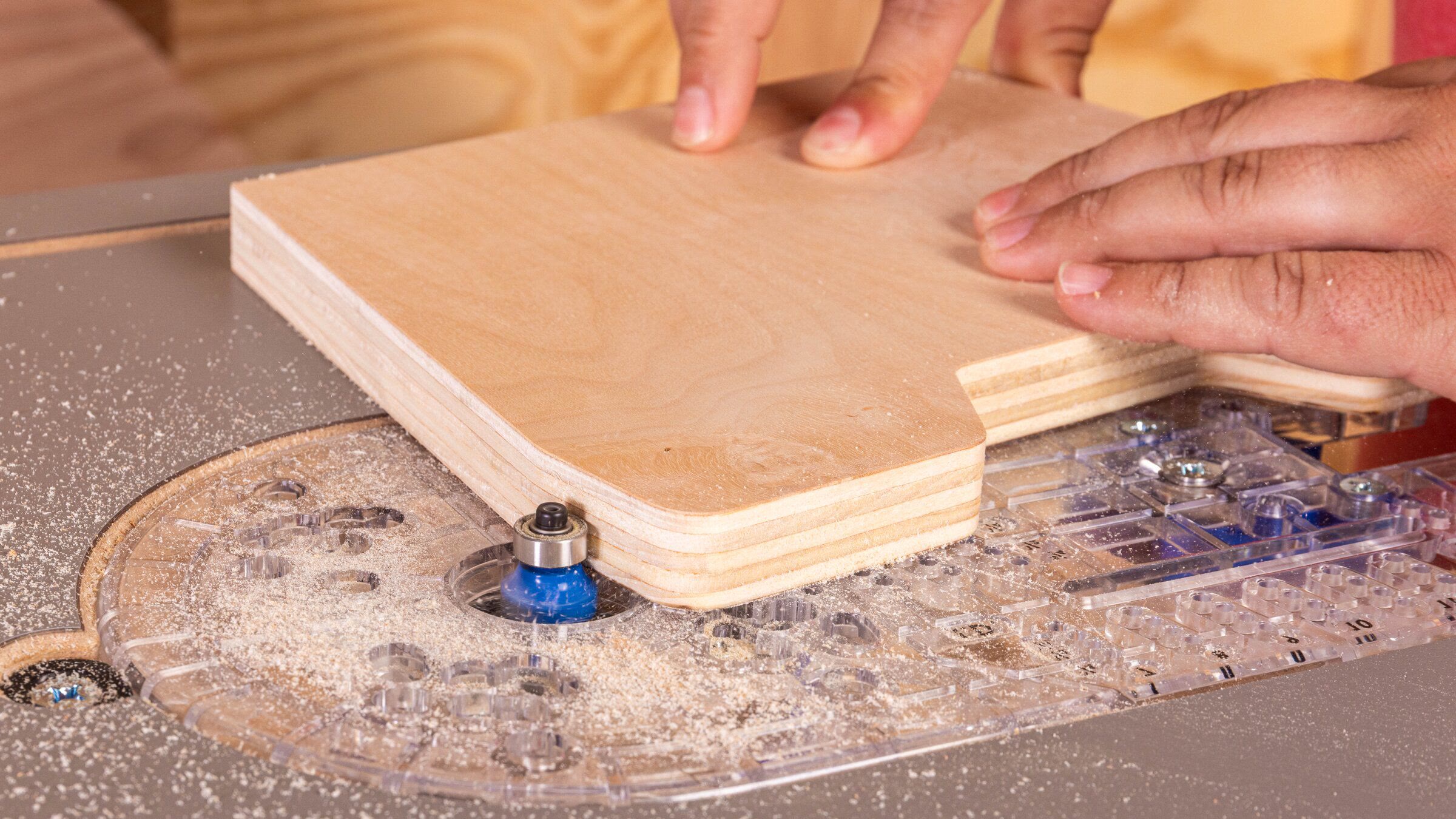
Undocked from the table, the clear plate has indexed pivot holes for circles from 3 1/2 to 15 inches in diameter, in 1/4-inch increments. Separate inside-diameter and outside-diameter positions account for which side of the cut is the finished edge.
Kreg’s procedure calls for a 1/8-inch pivot hole in the center of the circle and a 1/4-inch straight bit. The first pass is set to 1/8 inch deep, followed by shallow passes no deeper than another 1/8 inch at a time. Support the keeper piece during the final pass so it cannot drop, twist into the bit, or tear the last fibers. If the visible face must remain unmarked, the manual recommends drilling the pivot hole from the back without breaking through.
This circle function is handheld routing, not a freehand table operation. Remove the plate and router together, confirm the handle is attached, clamp the work, and follow the router manual’s direction and speed guidance. The table fence and guard do not control the router once the plate is undocked.
Where the compact table makes sense
The Dock & Go is best matched to light-duty trim-router work: small edge profiles, bearing-guided trimming, narrow dados or rabbets within the router’s limits, and repeat parts that benefit from a fence. Its small footprint is easier to store than a 24-by-32-inch cabinet-style top, and the detachable plate reduces the friction of moving back to handheld work.
The tradeoff is capacity. The table manual limits cutters to 1 3/8 inches in diameter and requires a 1/4-inch shank. It describes the system as light-duty. The compact surface also gives long or wide stock less support, and the simple fence does not provide the mass, travel, micro-adjustment, miter slot, or work-holding ecosystem of a full-size table. A 2 1/4-HP or larger router table remains the better platform for large profiles, raised panels, heavy cuts, or production work.
That distinction protects both cut quality and control. Do not compensate for a small motor with a deep pass, or for a small table by holding an unsupported board harder. Use a sharp bit, follow its speed limit, remove modest amounts of material, and add external stock support. If the operation exceeds the router manual, the 1 3/8-inch cutter limit, or the available support area, change machines rather than forcing the setup.
Before the first cut
- Match the exact router model to Kreg’s current lettered hole chart.
- Resolve any conflict with the router’s own manual, especially the KPTRT025A table-use warning.
- Remove power before assembly, adjustment, bit changes, or chip clearing.
- Center the router with the supplied pin before tightening the plate screws.
- Level all four corners and adjust the bumper until the plate is flush and secure.
- Clamp or fasten the table to a suitable bench or wall support.
- Confirm bit diameter, 1/4-inch shank, speed, collet engagement, and full clearance.
- Set the fence, dust swivel, and lowered guard, then make a shallow test cut in scrap.
- Feed fence-guided work right to left and keep hands outside the cutter zone.
- Add infeed and outfeed support when stock extends beyond the compact top.
The Dock & Go concept is genuinely useful for a small shop, but its convenience depends on disciplined setup. Treat the plate chart as an exact list, the leveling screws and bumper as safety-critical adjustments, and the word “trim” as a real limit on the size of the work. Most importantly, do not let a marketing compatibility claim overrule a warning in the router’s own manual.
Comments